 Skip to content


B2B buyers rarely enquire on their first visit. A procurement officer checks whether you are a registered, compliant supplier. An engineer looks for specifications and past projects. A director wants to know what it costs and what could go wrong. If your website only speaks to one of them, the other two quietly go to a competitor.
Good B2B website design is less about how the site looks and more about how easily each of those people finds what they need and takes the next step. This guide covers the UI and UX decisions that make the route from first visit to enquiry clear, with examples for South African commercial and industrial businesses.

Key takeaways
| Question | What to do |
|---|---|
| Who is the site for? | Several people with different jobs. Give each role a clear route to the evidence they need. |
| How should navigation work? | Use labels buyers recognise, organised around what they need to do, not your internal departments. |
| How do you make the offer easy to judge? | Say who you help and what result you deliver, then put proof right next to the claim. |
| What should a call to action do? | Match the next step to how ready the visitor is, from a spec sheet to a quote request. |
| What makes a form work? | Few fields, clear labels, a POPIA notice and a confirmation that says what happens next. |
| What should you measure? | Qualified enquiries, not just traffic or clicks. |
Quick answers
What is the difference between UI and UX design?
UI (user interface) design is what visitors see and interact with: layout, buttons, typography and forms. UX (user experience) design is whether the whole journey works: can people find what they need, understand it and complete the task they came for? A site can look polished and still fail at UX.
What makes B2B website design different from B2C?
B2B purchases usually involve several decision-makers, longer evaluation and higher risk. The website has to support research, comparison and internal sharing, not just a quick purchase. That means more depth, more proof and more than one route to enquiry.
What is the most important page on a B2B website?
Usually the service or solution pages, not the homepage. They are where buyers judge whether you can do the job, so they need specific detail, relevant proof and a clear next step.
Why B2B website design has to serve a buying team
Most B2B decisions involve more than one person, and each one visits your site looking for something different:
| Who | What they look for | Pages that serve them |
|---|---|---|
| Researcher or user | Whether you solve their problem, and how | Service pages, guides, FAQs |
| Technical evaluator | Specifications, capacity, standards, past work | Spec sheets, project galleries, case studies |
| Procurement | Compliance, B-BBEE status, certifications, terms | About page, compliance or supplier information page |
| Decision-maker | Cost, risk, track record and who they will deal with | Pricing or scoping info, case studies, team page |
Content carries much of that evaluation. In Demand Gen Report’s 2022 Content Preferences Survey, 55% of B2B buyers said they relied more on content to research and make purchasing decisions than they had a year earlier. Your site is often doing the selling before anyone picks up the phone.
To find out what your own buyers need, talk to your sales team about the questions they hear most, review which pages enquiries come from in Google Analytics, and watch two or three people try to find specific information on the site. Those three sources usually reveal the biggest gaps quickly.
Structure navigation around what buyers need to do
The most common B2B website design mistake is a menu that mirrors the company’s org chart. Visitors do not think in departments. They think in tasks: find the right service, check whether you have done it before, confirm you are compliant, get a price.
For a typical commercial or industrial business, a simple structure works well:
- Services: one page per service, named the way buyers search for it.
- Industries: where you work, with relevant examples for each sector.
- Projects or case studies: proof, organised so buyers can find similar work.
- About: team, certifications, compliance and supplier information.
- Contact or request a quote: always visible, with more than one way to get in touch.
Keep labels short and familiar, and test them: ask someone outside the business to find a specific piece of information and watch where they click first. Then use contextual links inside pages, so a visitor reading a service page can jump straight to a relevant case study or spec sheet without going back to the menu.
Make the value and the proof easy to scan
Good B2B website design puts a specific value statement at the top of every important page: who you help, what problem you solve and what result they can expect. “Structural steel fabrication for mining and industrial projects across Gauteng” tells a buyer more in one line than a paragraph about passion and quality.
Then make the page easy to scan with descriptive headings, short paragraphs, lists and tables. B2B buyers skim first and read in detail only once they think you might be a fit.
Place proof directly next to the claim it supports. If you say you work on large projects, show one. If you claim fast turnaround, give a real example. For South African B2B buyers, practical proof often includes:
- Named projects or clients, with permission
- Industry certifications and accreditations
- B-BBEE level and supplier registration details where relevant
- Photos of real work, equipment and team, not stock images
- Downloadable spec sheets or company profiles that buyers can share internally
Sketch the page structure in a simple wireframe before any visual design. Agreeing on what goes where, and in which order, is far cheaper to fix on paper than after the design is built.
Give every page one clear next step
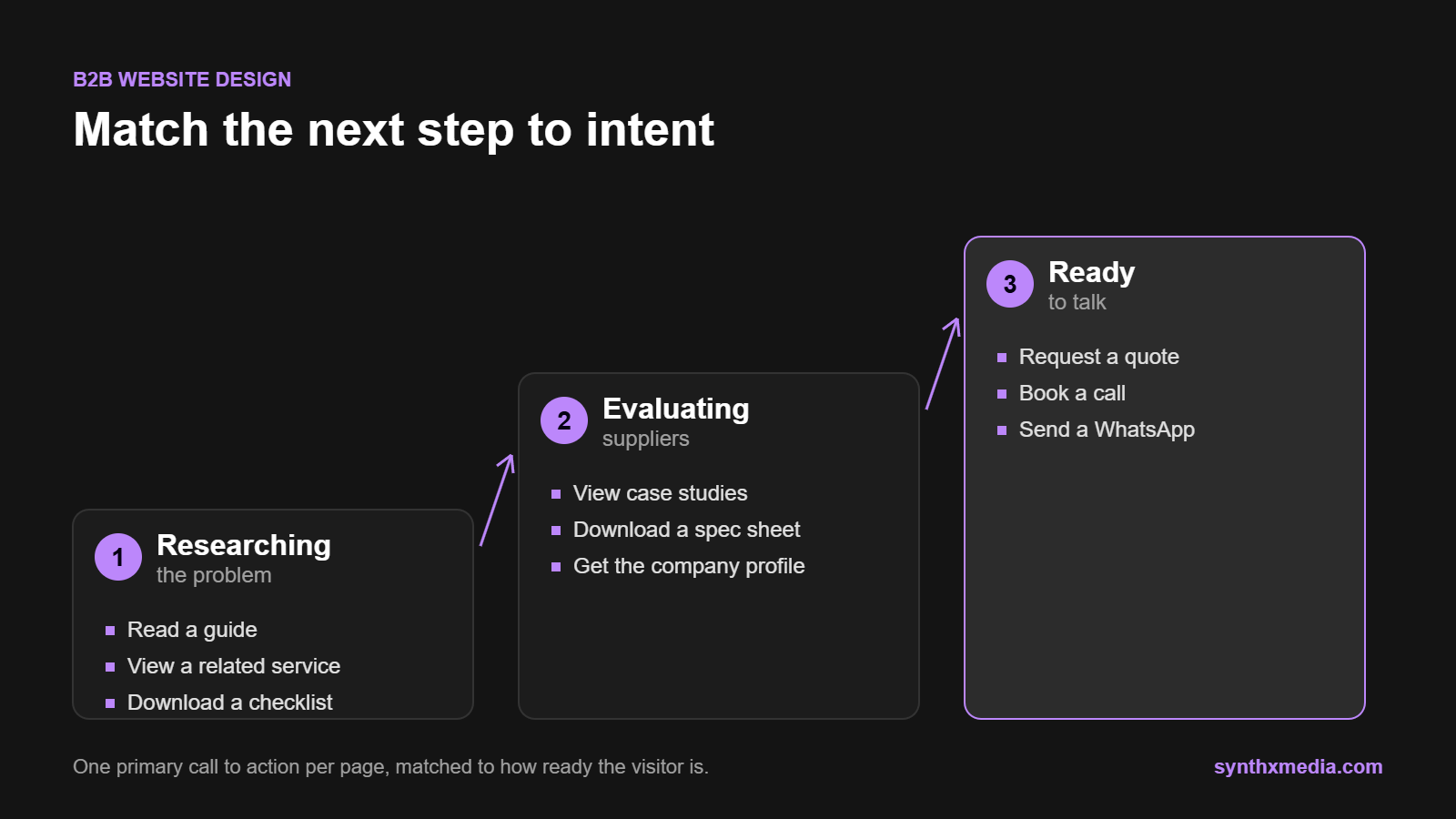
In B2B website design, not every visitor is ready to request a quote, and forcing that step too early loses the ones who are still researching. Match the call to action to the visitor’s intent:
| Visitor stage | Good next step |
|---|---|
| Researching the problem | Read a guide, view a related service, download a checklist |
| Evaluating suppliers | View case studies, download a spec sheet or company profile |
| Ready to talk | Request a quote, book a call, send a WhatsApp message |
Give each page one visually dominant primary button and keep secondary options quieter. Two buttons with equal weight make visitors hesitate. Use labels that describe the action, such as “Request a project quote” rather than “Submit”, and make sure the button leads exactly where it promises.
For paid campaigns with one offer and one audience, a dedicated landing page keeps the next step unmistakable. Ours are built and tested on real phones, with the form and tracking checked end to end before traffic is sent to them.
Design enquiry forms people actually complete
Forms are where B2B website design most often fails. Every field you add is a reason to abandon the form, so ask only for what you need to respond properly:
| Field | Keep it? |
|---|---|
| Name, company, email, phone | Yes |
| Service needed (dropdown) | Yes, it helps you route the enquiry |
| Project details or message | Yes, but keep it optional or short |
| Budget range | Optional, only if it genuinely helps you qualify |
| Company size, job title, how did you hear about us | Usually no, ask on the first call instead |
Label every field clearly, mark the required ones and show specific error messages without clearing what the visitor already typed. Add a short POPIA notice explaining how you will use their details, with a link to your privacy policy.
After submission, show a confirmation that says what happens next and when, for example “We will reply within one business day”. Always offer another route too. Many South African buyers prefer a quick WhatsApp message or call over a form, so make those options visible on every page, as we do on our contact page.

Test the whole route on mobile and with real users
B2B research often happens at a desk, but first contact often happens on a phone, on site or between meetings. In September 2026, 77.82% of all South African web traffic came from mobile devices, according to StatCounter. Check your own analytics, then test the full route on a phone: navigation, buttons, form entry, error messages and confirmation. A B2B website design that works on a laptop but fails on a phone loses those first contacts.
Check accessibility at the same time: keyboard navigation, visible focus, logical headings, labelled form fields and enough contrast between text and background. A polished interface that some visitors cannot operate is still a broken one.
Measure the route to enquiry, not just traffic
| Measure | Why it matters |
|---|---|
| Qualified enquiries | The number that actually matters to the business |
| Form starts vs completions | A big gap points to a form that is too long or confusing |
| Clicks on calls to action | Shows whether pages lead people forward |
| Visits to proof pages | Case studies and spec sheets are strong signals of serious interest |
| Enquiry source pages | Shows which pages and services actually produce work |
Treat B2B website design as ongoing work: find the biggest obstacle, fix it, and measure again. When problems run across several pages or the whole structure, a broader website redesign may be the better investment than another round of small tweaks. For more on the fundamentals, see our guide to website design and UX best practices, or browse websites we have built for South African businesses.
Frequently asked questions
What are the key principles of good UX for a B2B website?
A widely used model from UX designer Peter Morville says a good experience is useful, usable, desirable, findable, accessible, credible and valuable. For B2B website design, credibility and findability usually matter most: buyers must quickly find specific evidence and trust what they see.
How many fields should a B2B enquiry form have?
As few as you need to respond well. Name, company, email, phone and the service needed are usually enough, with an optional message. Ask qualifying questions such as company size or budget on the first call rather than on the form.
Should I redesign my B2B website or improve the existing one?
If the structure is sound and only some pages underperform, fix those pages first. If navigation, content and technology all hold you back, a website redesign is usually the better investment. Our redesign checklist covers what to fix before changing the look.
Should a B2B website show pricing?
Where you can, yes. Even a starting price or a typical range helps decision-makers judge fit and filters out enquiries that will never convert. If every project is custom, explain what drives cost and what a typical scope includes. We publish our own website pricing for exactly this reason.
How often should we test our B2B website design with real users?
Run a quick test whenever you launch or change an important page, and at least once or twice a year otherwise. Watching three to five people try a specific task usually reveals the biggest problems.
Make the route to enquiry obvious
The best B2B website design rarely comes down to a new colour scheme. It comes from knowing who is on the buying team, giving each of them the evidence they need, and making the next step easy at every stage. Start with your most visited service page, walk the route to enquiry on a phone, and fix the first thing that slows you down.
If you would like a second pair of eyes, request a free website audit and we will send you a prioritised roadmap within 48 hours, or get in touch to talk through your site.
Sources: Demand Gen Report, 2022 Content Preferences Survey; StatCounter Global Stats, mobile vs desktop market share in South Africa, September 2026.
