 Skip to content


Most website redesigns start in the wrong place. Someone decides the site “looks dated”, an agency mocks up a fresh homepage, and six weeks later the business has a better-looking site with the same enquiry problem. Sometimes it is worse, because pages that used to rank have quietly disappeared from Google.
A website redesign should start with what the current site is failing to do. This guide covers what to fix, check and protect before anyone touches the design, so the money you spend on a new look actually shows up in leads and sales.

Key takeaways
| Before you redesign | What to do |
|---|---|
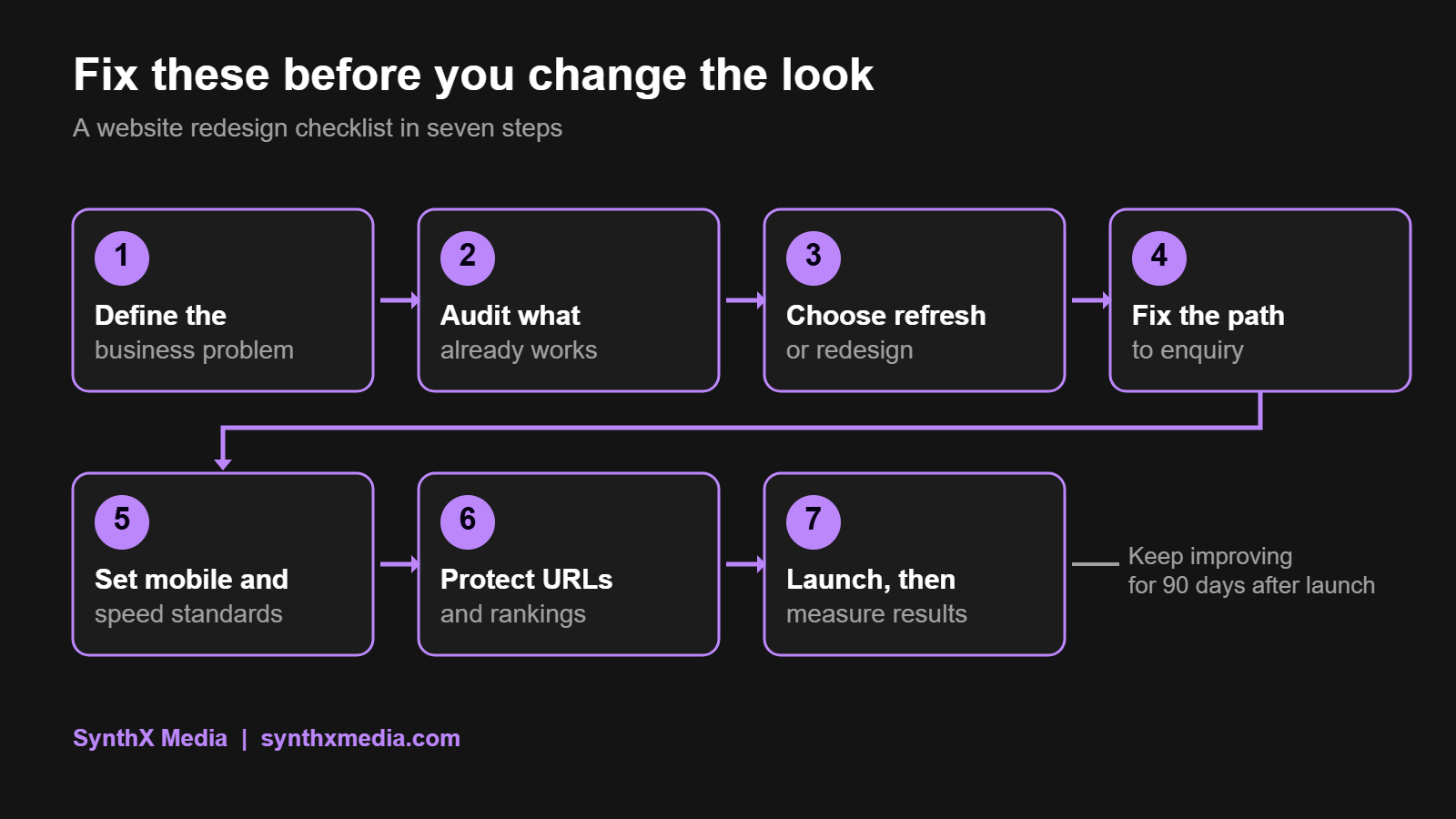
| Define the problem | Write down what the site is failing to do, in business terms, and record today’s numbers as a baseline. |
| Audit what works | Find the pages that already bring traffic and enquiries. Those are assets to protect, not replace. |
| Fix the journey first | Clear navigation, one obvious next step per page, and forms that work on a phone. |
| Set technical standards | Mobile first, accessible and fast, with targets agreed before the build starts. |
| Protect your rankings | Map every old URL to its new home and set up 301 redirects before launch. |
| Measure after launch | Compare results with your baseline and keep fixing for at least 90 days. |
Quick answers
What should I fix before a website redesign?
Fix the problems that cost you business first: unclear messaging, confusing navigation, broken or slow forms, poor mobile experience and slow pages. Then decide whether the remaining issues need a full redesign or a targeted refresh.
Will a website redesign hurt my SEO?
It can, if pages that rank are removed or change address without a 301 redirect. With a URL inventory, a redirect map and checks after launch, a redesign can protect your rankings and often improve them.
Should I refresh or fully redesign my website?
Refresh when the structure and key journeys already work and the problems are limited to a few pages or the visual style. Redesign when the navigation, page structure or platform is the problem.
Step 1: Define the business problem, not the visual style
“It looks old” is not a brief. Before discussing colours or layouts, write down what the site is failing to do. Typical answers:
- Visitors do not understand what you offer within the first few seconds.
- People find the right service but do not enquire.
- Most visitors are on a phone, and the site is hard to use on one.
- The site is too slow, or it breaks when content is updated.
- Nobody on the team can update it without calling a developer.
Then record the numbers you will judge the project by: enquiries or sales per month, conversion rate, mobile conversion rate and organic traffic to key pages. Without a baseline, nobody can say whether the redesign worked.
Finally, name the people involved: who makes decisions, who approves content and who will keep the site updated after launch. Most website redesign delays come from slow content and approvals, not from development.
Step 2: Audit what already works
Every existing site has some value, even an old one, and a website redesign that ignores it throws money away. Before you replace anything, find it:
- Google Search Console: which pages and search terms bring visitors, and which pages Google has indexed.
- Google Analytics: where visitors arrive, where they leave and which pages lead to enquiries.
- Your sales team and inbox: the questions people ask before they buy, and the complaints they make about the site.
- A page inventory: every URL, with a decision for each one: keep, improve, merge or remove.
Then sort the problems by type, because each type needs a different fix:
| Problem | What it needs |
|---|---|
| Unclear wording or missing information | Content work, not design |
| People cannot find the right page | Navigation and page structure changes |
| Forms fail, pages are slow, features break | Technical fixes |
| The site looks dated and untrustworthy | Visual design |
If you would rather have an outside view first, our free website and SEO audit delivers a strategy roadmap within 48 hours.
Step 3: Decide between a website refresh and a full redesign
| Choose a refresh when | Choose a full redesign when |
|---|---|
| The navigation and main journeys work | Visitors regularly get lost or stuck |
| Problems are limited to a few pages or sections | The page structure no longer matches your services |
| The platform is up to date and easy to edit | The platform is outdated, insecure or hard to update |
| The main issue is visual polish | The site cannot support what the business needs now, such as online sales or bookings |
A refresh is faster and cheaper than a full website redesign, and it carries less risk to your search rankings. Do not commission a full rebuild when targeted fixes would solve the problem.
Step 4: Fix navigation, content and the path to enquiry
Organise pages around what visitors are trying to do, not around your internal departments. A menu that makes sense to your team can leave a buyer unsure where to click.
For each important page, decide on one primary next step. Someone comparing services may need detail and proof before they request a quote, so match the call to action to where the visitor is in their decision.
Use the five-second test as a quick check: show a page to someone who does not know your business for five seconds, then ask what you do and what they should do next. If they cannot answer, the problem is the message, and a new design will not fix it.
Step 5: Set mobile, speed and accessibility standards
Mobile is not an afterthought in South Africa. In September 2026, 77.82% of South African web traffic came from mobile devices, according to StatCounter. Design and test every key task on a phone first.
Agree on measurable targets before the build starts. Google’s Core Web Vitals give you a sensible standard:
| Metric | What it measures | Good score |
|---|---|---|
| Largest Contentful Paint (LCP) | How quickly the main content appears | 2.5 seconds or less |
| Interaction to Next Paint (INP) | How quickly the page responds to a tap or click | 200 milliseconds or less |
| Cumulative Layout Shift (CLS) | How much the layout jumps while loading | 0.1 or less |
Write accessibility into the brief too: keyboard navigation, visible focus states, a logical heading structure, alt text for meaningful images and enough contrast between text and background. These help every visitor, not only people using assistive technology.

Step 6: Protect your search rankings during the website redesign
This is where most redesigns lose money. Before changing the site structure:
- Export every URL and the traffic and search terms each one brings in.
- Keep strong pages where they still serve visitors, and improve them rather than replacing them.
- Build a redirect map from every old URL that changes to the closest matching new page, using permanent 301 redirects. Do not send everything to the homepage.
- Check the technical basics on the new site: internal links, canonical tags, the XML sitemap and that no page is accidentally set to noindex.
- Block search engines from the staging site so unfinished pages never get indexed.
- After launch, test the redirects, submit the new sitemap in Search Console and watch traffic to key pages for at least 90 days.
For online stores, the stakes are higher because product pages often carry most of the search traffic. Our online store redesign keeps your URLs, search visibility and order history while rebuilding the parts that are costing you sales. For the technical side, see our technical SEO service.
Step 7: Launch safely and measure what changed
Before launch, test every form, checkout, enquiry flow and redirect on a staging copy, and confirm that analytics and conversion tracking fire correctly. Agree a launch-day checklist with named owners and a rollback plan in case something critical breaks.
After launch, repeat the key checks on the live site and compare results with your baseline over at least a full month, allowing for seasonal changes. Keep a short list of fixes and improvements. A website redesign is not finished on launch day; that is when you start learning from real visitors.
Ongoing care keeps those fixes in place. Our website maintenance plans cover updates, security and small changes after launch, and our web design team handles full redesigns when a refresh will not do.
Frequently asked questions
How much does a website redesign cost in South Africa?
It depends on the number of pages, the amount of new content and any integrations. At SynthX Media, website packages start at R3,000 once-off for a single page and R13,500 for up to 10 pages, with online stores and custom builds quoted separately. A targeted refresh usually costs less than a full rebuild.
How long does a website redesign take?
Most business websites take 2 to 4 weeks once content is ready, and online stores 3 to 5 weeks. Larger sites with many pages or integrations take longer. Slow content and approvals are the most common cause of delays.
How do I know if my website needs a redesign?
Look for these signs: enquiries have dropped, visitors leave quickly, the site is hard to use on a phone, pages load slowly, your services have changed, or nobody can update it easily. If only one or two apply, a refresh may be enough.
Can I redesign my website without changing the platform?
Yes. If your current platform, such as WordPress, supports your content, integrations and team, keeping it saves migration work and protects your search history. Change platforms only when the current one is holding the business back.
How do I know if a website redesign worked?
Compare the same measures you recorded before the project, such as enquiries, conversion rate, mobile conversion and organic traffic to key pages, over at least a full month after launch. Judge the redesign on those results, not on how the new site looks.
Fix first, then redesign
A successful website redesign comes down to evidence, priorities and ownership. Define the business problem, protect what already works, fix the journey and the technical basics, and only then settle on a new look. The design matters, but it is the last step, not the first.
Planning a redesign? Start with our free audit and we will tell you what to fix first, what to keep and whether you need a refresh or a full rebuild. Or talk to our team directly.
Sources: StatCounter, desktop vs mobile market share South Africa; Google web.dev, Core Web Vitals; Google Search Central, site moves with URL changes.
